MCP vs API: What the Model Context Protocol Is, Its Types, and How to Build and Deploy an MCP Server
MCP is the standard way for AI apps to use tools and data. How it differs from a normal API, its building blocks and server types, and a step-by-step guide to building an MCP server in Python and deploying it.
By RudraAI · · 14 min read
Key takeaways
- MCP is an open standard that lets any AI app discover and use your tools and data — build a server once, use it everywhere.
- MCP doesn't replace APIs: most MCP servers are a thin, model-friendly layer on top of an existing API.
- Use stdio for local servers and Streamable HTTP for remote, shared servers.
- Treat a remote MCP server like any public API: HTTPS, authentication, least privilege and logging.
On this page
- MCP vs API: what's actually different?
- How MCP works
- MCP specification versions
- The building blocks
- Types of MCP servers
- How to build an MCP server (Python)
- Designing tools that models use well
- How to deploy an MCP server
- Monitoring an MCP server in production
- Troubleshooting common MCP problems
- Security checklist
- Real-world MCP use cases
- The bottom line
An AI assistant becomes genuinely useful when it can do things — look up an order, query a database, create a ticket, read a file. For a long time, every AI app wired up every tool in its own custom way. Ten AI apps and fifty tools meant hundreds of one-off integrations, each built and maintained separately.
The Model Context Protocol (MCP) fixes that. Introduced by Anthropic as an open standard in November 2024, it defines one common way for AI applications to discover and use tools and data. Build an MCP server for your system once, and any MCP-compatible app — Claude, Cursor, VS Code, and a growing list of others — can use it. It's often described as "USB-C for AI": one standard plug instead of a drawer full of adapters.
MCP vs API: what's actually different?
The first thing to understand is that MCP doesn't replace APIs. Most MCP servers are thin layers on top of existing APIs. The difference is who the interface is designed for.
A REST API is designed for developers: someone reads the documentation, writes code to call specific endpoints, and ships it. MCP is designed for AI models: the AI app connects to a server, asks it what it can do, gets back a list of tools with plain-language descriptions and input schemas, and the model decides at runtime which to call.
| Traditional API (REST / GraphQL) | MCP | |
|---|---|---|
| Designed for | Developers writing integration code | AI models choosing tools at runtime |
| Discovery | Humans read docs | The client asks the server (tools/list) and gets names, descriptions and JSON schemas |
| Interface | Different for every vendor — endpoints, auth, pagination, errors | The same small set of JSON-RPC methods for every server |
| Integration cost | Custom code per app × per API | Build a server once; it works in any MCP host |
| Connection | Usually stateless request/response | A session that starts with capability negotiation |
| Direction | Client calls server | Two-way: servers can request model completions, ask the user for input and send notifications |
| Context | Returns raw data | Also exposes readable resources and reusable prompt templates for the model |
When to use which: if you're writing ordinary software where the developer decides exactly which call to make, use the API directly — it's simpler and faster. If you want an AI model to be able to use your system, especially across several AI apps, wrap the API in an MCP server.
MCP vs function calling vs custom plugins
| Function calling | Custom plugin / integration | MCP | |
|---|---|---|---|
| What it is | A model API feature: you pass tool definitions with each request | Code written for one specific AI app | An open protocol for serving tools and data to any AI app |
| Where tools live | In your application code | Inside one product's ecosystem | In separate, reusable servers |
| Reuse across apps | No — rebuilt per app | No | Yes — any MCP host |
| Best for | One app calling a few of its own functions | Deep integration with a single platform | Tools you want available across many AI apps and agents |
They aren't rivals: an MCP host typically takes the tools it discovers from MCP servers and presents them to the model through function calling.
When not to use MCP
- A fixed, deterministic pipeline with no model decisions — call the API directly.
- A single app with two or three internal functions — plain function calling is simpler.
- Hard real-time or very high-throughput paths where an extra protocol hop matters.
How MCP works
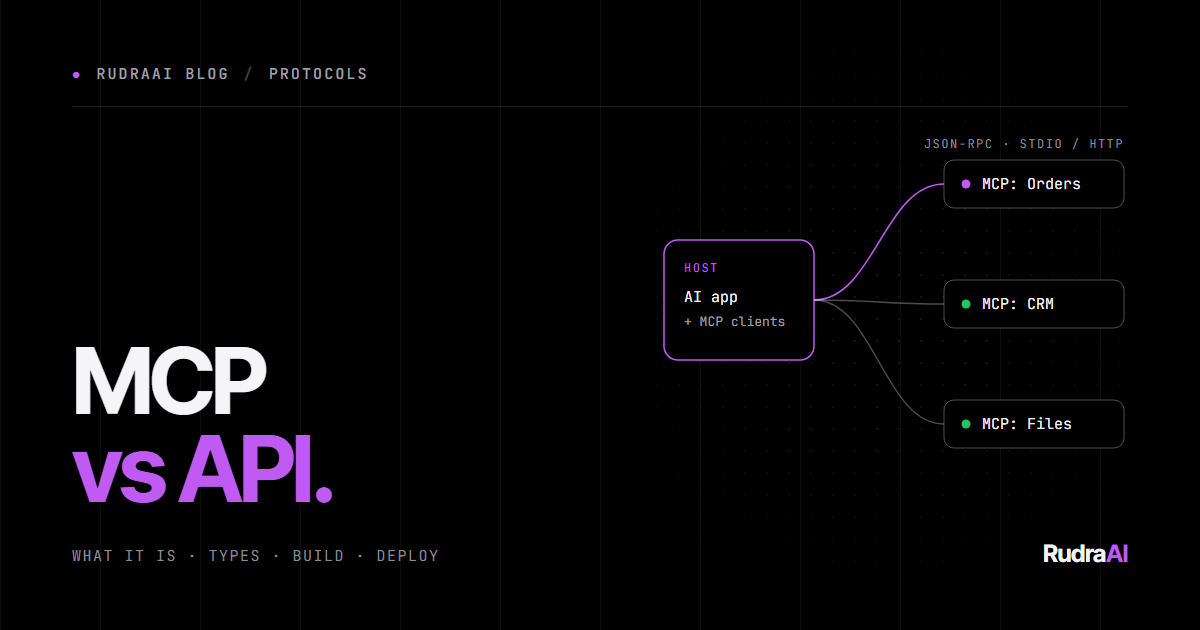
MCP has three roles:
- Host — the AI application the user interacts with (Claude Desktop, Claude Code, an IDE, your own agent).
- Client — a connector inside the host. The host creates one client per server it connects to.
- Server — a program that exposes tools, resources and prompts for one system (your CRM, your database, GitHub, the file system).
Host (e.g. Claude Desktop)
│
├── LLM
├── MCP client A ──►  MCP server: Orders ──►  Orders API
├── MCP client B ──►  MCP server: CRM    ──►  CRM API
└── MCP client C ──►  MCP server: Files  ──►  Local disk
Messages are JSON-RPC 2.0. A session goes through a simple lifecycle: the client sends initialize, both sides declare which capabilities they support, and then the client can list and call what the server offers. When the model decides to use a tool, the client sends a request like this:
{
  "jsonrpc": "2.0",
  "id": 7,
  "method": "tools/call",
  "params": {
    "name": "get_order_status",
    "arguments": { "order_id": "A1001" }
  }
}
…and the server replies with content the model can read:
{
  "jsonrpc": "2.0",
  "id": 7,
  "result": {
    "content": [
      { "type": "text", "text": "Order A1001: shipped, estimated delivery 2026-10-08." }
    ],
    "isError": false
  }
}
MCP specification versions
The protocol is versioned by date, and client and server agree on a version during initialisation. The key milestones so far:
| Revision | Notable changes |
|---|---|
| 2024-11-05 | Initial public release: tools, resources, prompts, sampling; stdio and HTTP+SSE transports |
| 2025-03-26 | Streamable HTTP transport replaces HTTP+SSE; OAuth 2.1-based authorisation; tool annotations |
| 2025-06-18 | Structured tool output, elicitation, resource links in tool results, stricter authorisation guidance |
Check modelcontextprotocol.io for the current revision before you build — the official SDKs track it for you.
The building blocks
Servers can offer three kinds of things, each controlled by a different party:
| Primitive | Controlled by | What it is | Example |
|---|---|---|---|
| Tools | The model | Functions the model can call to take actions or fetch live data | create_ticket, search_orders, run_query |
| Resources | The application | Read-only data identified by a URI, which the app can attach as context | policy://returns, a file, a database schema |
| Prompts | The user | Reusable templates the user can pick, often surfaced as slash commands | "Draft a reply to this customer", "Summarise this PR" |
Clients can also offer capabilities back to servers: sampling (the server asks the host's model to generate text, so the server doesn't need its own LLM key), roots (which folders or locations the server may work in) and elicitation (the server asks the user for missing information mid-task).
Types of MCP servers
"Types of MCP" usually means one of four ways of classifying servers:
1. By transport — how client and server talk
- stdio (local). The host launches the server as a child process on the same machine and talks over standard input/output. Zero network setup, ideal for personal and developer tools — file system, local databases, Git.
- Streamable HTTP (remote). The server runs as a web service at a URL (usually ending in
/mcp). Clients send JSON-RPC over HTTP POST and the server can stream responses. This is what you deploy for teams and customers. - HTTP + SSE (legacy). The original remote transport, replaced by Streamable HTTP in the March 2025 spec revision. You'll still meet it in older servers; don't build new ones on it.
2. By where it runs
- Local servers on the user's machine, with access to local files and apps.
- Self-hosted remote servers that you deploy for your team or customers — for example, an MCP server in front of your internal order system.
- Vendor-hosted servers that SaaS companies run for their own products, such as the official GitHub MCP server. You connect with a URL and sign in.
3. By what it exposes
- Action servers — mostly tools that change things (create, update, send).
- Data/context servers — mostly resources and read-only tools (search docs, query analytics).
- Workflow servers — mostly prompts that package a repeatable process.
- In practice, most useful servers mix all three.
4. By access level
- Read-only servers are safe to connect broadly.
- Read-write servers need tighter permissions, confirmation before destructive actions, and careful auditing.
How to build an MCP server (Python)
We'll build a small "orders" server with one tool, one resource and one prompt, using the official Python SDK and its FastMCP interface. You'll need Python 3.10+ and uv.
Step 1 — Set up the project
uv init orders-mcp
cd orders-mcp
uv add "mcp[cli]"
Step 2 — Write the server
Create server.py. In a real server, the dictionary would be a call to your database or API:
import os
from mcp.server.fastmcp import FastMCP

mcp = FastMCP(
    "orders",
    host=os.environ.get("HOST", "127.0.0.1"),
    port=int(os.environ.get("PORT", "8000")),
    stateless_http=True,  # lets you run several replicas behind a load balancer
)

# Stand-in for your real order system
ORDERS = {
    "A1001": {"status": "shipped", "eta": "2026-10-08"},
    "A1002": {"status": "processing", "eta": "2026-10-11"},
}


@mcp.tool()
def get_order_status(order_id: str) -> str:
    """Look up the shipping status and estimated delivery date of an order.

    Args:
        order_id: The order reference, e.g. "A1001".
    """
    order = ORDERS.get(order_id.strip().upper())
    if order is None:
        return f"No order found with ID {order_id}. Ask the customer to check the reference."
    return f"Order {order_id}: {order['status']}, estimated delivery {order['eta']}."


@mcp.resource("policy://returns")
def returns_policy() -> str:
    """The store's returns policy."""
    return "Items can be returned within 30 days of delivery in original condition. Refunds take 5-10 business days."


@mcp.prompt()
def customer_reply(order_id: str) -> str:
    """Draft a reply to a customer asking about their order."""
    return (
        f"Use get_order_status to check order {order_id}, then write a short, "
        "friendly reply to the customer. Mention the returns policy only if relevant."
    )


if __name__ == "__main__":
    # stdio for local use; "streamable-http" when deployed
    mcp.run(transport=os.environ.get("MCP_TRANSPORT", "stdio"))
Notice what FastMCP does for you: the function name becomes the tool name, the docstring becomes the description the model reads, and the type hints become the JSON input schema. That docstring is effectively a prompt — it's how the model decides when to use the tool, so write it for the model.
Step 3 — Test it with the MCP Inspector
uv run mcp dev server.pyThis opens the MCP Inspector in your browser, where you can list the tools, resources and prompts, call them with test inputs and see the raw responses — before any AI is involved.
Step 4 — Connect it to an AI app
For Claude Desktop, add the server to claude_desktop_config.json (Settings → Developer → Edit Config) and restart the app:
{
  "mcpServers": {
    "orders": {
      "command": "uv",
      "args": ["--directory", "/absolute/path/to/orders-mcp", "run", "server.py"]
    }
  }
}
For Claude Code, one command does it:
claude mcp add orders -- uv --directory /absolute/path/to/orders-mcp run server.pyNow ask "Where is order A1001?" and watch the model call your tool.
The same server in TypeScript
If your stack is Node.js, the official TypeScript SDK follows the same shape:
import { McpServer } from "@modelcontextprotocol/sdk/server/mcp.js";
import { StdioServerTransport } from "@modelcontextprotocol/sdk/server/stdio.js";
import { z } from "zod";

const server = new McpServer({ name: "orders", version: "1.0.0" });

server.registerTool(
  "get_order_status",
  {
    title: "Get order status",
    description: "Look up the shipping status of an order by its ID, e.g. A1001.",
    inputSchema: { orderId: z.string() },
  },
  async ({ orderId }) => ({
    content: [{ type: "text", text: "Order " + orderId + ": shipped." }],
  })
);

await server.connect(new StdioServerTransport());
Designing tools that models use well
- Few, focused tools. Ten clear tools beat fifty overlapping ones. Model accuracy drops as the tool list grows and descriptions blur together.
- Name and describe for the model. Say what the tool does, when to use it, and what the inputs look like, with an example.
- Design around tasks, not endpoints. One
find_customertool that searches by email, phone or name is better than mirroring three API endpoints. - Return concise, readable results. Trim huge API payloads to the fields that matter; paginate long lists.
- Return errors as helpful text ("No order found — ask the customer to check the reference") so the model can recover, rather than crashing the call.
- Validate every input on the server. The model is not a trusted caller.
How to deploy an MCP server
Local stdio servers are great for one person. To share a server with a team or customers, deploy it as a remote Streamable HTTP server.
Step 1 — Containerise it
FROM python:3.12-slim
COPY --from=ghcr.io/astral-sh/uv:latest /uv /usr/local/bin/uv

WORKDIR /app
COPY pyproject.toml uv.lock ./
RUN uv sync --frozen --no-dev
COPY server.py .

ENV MCP_TRANSPORT=streamable-http HOST=0.0.0.0 PORT=8000
EXPOSE 8000
CMD ["uv", "run", "server.py"]
Run it locally with docker build -t orders-mcp . && docker run -p 8000:8000 orders-mcp; the MCP endpoint is now at http://localhost:8000/mcp.
Step 2 — Host it
Any platform that runs a container behind HTTPS works: Google Cloud Run, AWS (App Runner or ECS), Azure Container Apps, Render, Railway or Fly.io. Cloudflare Workers is another option, with its own tooling for remote MCP servers. Because we set stateless_http=True, you can scale to several instances behind a load balancer without sticky sessions.
Step 3 — Add authentication
A remote MCP server is an API on the public internet that can take actions in your systems — treat it accordingly:
- Internal or team use: put it behind your API gateway, VPN or identity-aware proxy, or require a bearer token checked on every request.
- Public, multi-user servers: the MCP specification defines an OAuth 2.1-based authorisation flow, so each user signs in and the server acts with their permissions. The official SDKs include support for it.
Step 4 — Connect clients to the URL
claude mcp add --transport http orders https://orders-mcp.example.com/mcp --header "Authorization: Bearer $ORDERS_MCP_TOKEN"Most MCP hosts now accept a remote server URL directly in their settings.
Monitoring an MCP server in production
- Log each tool call — tool name, arguments (with secrets redacted), user, duration and whether it returned an error.
- Track error and timeout rates per tool. A tool that often errors usually needs a clearer description or better input validation.
- Watch which tools are never called. They may be badly described, or unnecessary — remove them to keep the tool list focused.
- Version your tool descriptions like code. A wording change can change model behaviour, so test it with an eval before shipping.
Troubleshooting common MCP problems
| Symptom | Likely cause | Fix |
|---|---|---|
| Server doesn't appear in the host | Invalid JSON in the config, a relative path, or the host wasn't restarted | Validate the JSON, use absolute paths, fully restart the host and check its MCP logs |
| stdio server connects then breaks | Something prints to stdout, corrupting the JSON-RPC stream | Log to stderr only — never print() to stdout in a stdio server |
| The model never calls the tool | Vague name or description; too many similar tools | Describe when to use the tool, with an example; trim overlapping tools |
| Wrong or missing arguments | Loose input schema | Use precise types, enums and examples; validate and return helpful errors |
| 401 / 403 from a remote server | Missing or expired token, wrong audience | Check the Authorization header and token scopes; re-run the OAuth flow |
| Calls time out | Slow upstream API or large payloads | Add timeouts and pagination; return summaries instead of full records |
Security checklist
- HTTPS only for remote servers, and validate the
Originheader (the spec requires this to prevent DNS-rebinding attacks). - Bind local servers to 127.0.0.1, never 0.0.0.0, unless they're inside a container behind a proxy.
- Least privilege. Give the server credentials that can do only what its tools need — a read-only database user for a read-only server.
- Confirm destructive actions. Deleting, paying, emailing customers: require human approval in the host or a confirmation step.
- Assume prompt injection. Text returned by tools (emails, web pages, tickets) can contain instructions aimed at the model. Never let tool output alone authorise sensitive actions.
- Vet third-party servers. A malicious server can hide instructions in its tool descriptions. Install servers only from sources you trust, and pin their versions.
- Log every tool call with the user, arguments and result, and rate-limit per user.
Real-world MCP use cases
- Customer support: look up orders, subscriptions and tickets, and draft replies with live account data.
- Sales and CRM: find contacts, log calls and update deal stages from a chat or an agent.
- Internal knowledge: search wikis, policies and documents — often as a RAG system exposed through MCP.
- Engineering: read repositories, issues and logs; query staging databases with read-only credentials.
- Operations: check inventory, schedules and dashboards, and trigger approved workflows.
The bottom line
APIs connect software to software. MCP connects AI to software, by putting a standard, self-describing layer on top of the APIs you already have. If you want AI assistants — yours or your customers' — to work with your systems, an MCP server is now the most reusable way to do it: build it once, and it works everywhere MCP does.
Keep reading: pair an MCP server with a knowledge base using RAG Architecture, Explained, and test the agents that use your tools with LLM Models, Benchmarks and Evals.
Frequently asked questions
What is MCP in simple terms?
MCP (Model Context Protocol) is an open standard that defines how AI applications connect to tools and data. An MCP server describes what it can do — tools, resources and prompts — and any MCP-compatible AI app can discover and use them without custom integration code.
Is MCP a replacement for REST APIs?
No. MCP sits on top of APIs. A REST API is designed for developers writing code; an MCP server wraps that API in a self-describing interface designed for AI models, so the model can decide at runtime which action to take.
What is the difference between MCP and function calling?
Function calling is a feature of a model API: you send tool definitions with each request. MCP standardises where those tools come from — servers that any host can connect to and discover. Under the hood, hosts usually present MCP tools to the model through function calling.
Which language should I use to build an MCP server?
Use the language of the system you're wrapping. Official SDKs exist for Python and TypeScript, among others. Python's FastMCP is the quickest way to start: decorators turn ordinary functions into tools, resources and prompts.
Where can I deploy a remote MCP server?
Anywhere that runs a container behind HTTPS — Google Cloud Run, AWS App Runner or ECS, Azure Container Apps, Render, Railway or Fly.io — or Cloudflare Workers. Use the Streamable HTTP transport and add authentication before exposing it.
Is MCP secure?
MCP is as secure as the server you build. Use HTTPS, authenticate every request (OAuth 2.1 for public multi-user servers), grant least-privilege credentials, require confirmation for destructive actions, validate inputs and treat tool output as untrusted because of prompt injection.