RAG Architecture, Explained: How to Build Retrieval-Augmented Generation That Actually Works
What RAG is, the two pipelines inside every RAG system, the design choices that decide answer quality — chunking, embeddings, hybrid search, reranking — and how to evaluate and run it in production.
By RudraAI · · 14 min read
Key takeaways
- RAG retrieves your own documents at question time and grounds the model's answer in them — no retraining needed.
- Most RAG failures are retrieval failures: fix chunking, use hybrid search and add a reranker before blaming the model.
- Enforce permissions and tenant isolation inside the retrieval query, never in the prompt.
- Measure retrieval and generation separately with a golden set of 50–200 real questions.
On this page
- What is RAG? A one-paragraph definition
- RAG vs fine-tuning vs a giant prompt
- The two pipelines inside every RAG system
- 1. Loading and cleaning
- 2. Chunking
- 3. Embeddings
- 4. The vector store
- 5. Retrieval: dense, sparse and hybrid
- 6. Reranking
- 7. Building the prompt and generating
- Advanced patterns worth knowing
- Keeping the index fresh
- RAG over structured data: when to use SQL instead
- A latency and cost budget
- Security and privacy in RAG
- How to evaluate a RAG system
- Common failure modes, and what usually fixes them
- A production checklist
- RAG glossary
A large language model only knows what was in its training data. It has never seen your product catalogue, your refund policy, last week's pricing change or the PDF your operations team wrote in March. Ask it about any of those and it will either say it doesn't know or, worse, confidently make something up.
Retrieval-Augmented Generation (RAG) fixes this without retraining the model. At question time, the system retrieves the few passages from your own data that are most relevant to the question, augments the prompt with them, and lets the model generate an answer grounded in that text — ideally with citations back to the source.
That one-sentence description hides a lot of engineering. Most RAG systems that disappoint in production don't fail because of the model; they fail because the wrong passages were retrieved. This guide walks through the full architecture, the decisions at each step, and how to know whether it's working.
What is RAG? A one-paragraph definition
Retrieval-Augmented Generation is an AI architecture that answers questions by first searching a knowledge base for relevant passages and then passing those passages to a large language model as context. The model's answer is grounded in your data rather than in what it memorised during training, which makes answers more accurate, current and verifiable. The knowledge base is usually a vector database of document chunks, and the search usually combines semantic (vector) and keyword matching.
Typical RAG use cases include customer-support assistants over a help centre, internal knowledge assistants over policies and wikis, sales assistants over product documentation, and research tools over contracts, reports or papers.
RAG vs fine-tuning vs a giant prompt
There are three common ways to give a model knowledge it doesn't have. They solve different problems:
| RAG | Fine-tuning | Long-context prompt | |
|---|---|---|---|
| What it changes | What the model reads at answer time | The model's weights | What the model reads at answer time |
| Best for | Facts, documents, data that changes | Style, format, a narrow skill | A small, fixed set of documents |
| Freshness | Update the index in seconds | Retrain to update | Edit the prompt |
| Citations | Natural — you know which chunks were used | Not possible | Possible but vague |
| Cost per question | Low (only relevant chunks are sent) | Low | High (everything is sent, every time) |
| Scales to | Millions of documents | — | What fits in the context window |
The short version: use RAG for knowledge, fine-tuning for behaviour. If your whole knowledge base is a few pages, skip RAG and put it in the prompt. Once it's larger than that, or changes often, or needs per-user permissions, you want retrieval.
The two pipelines inside every RAG system
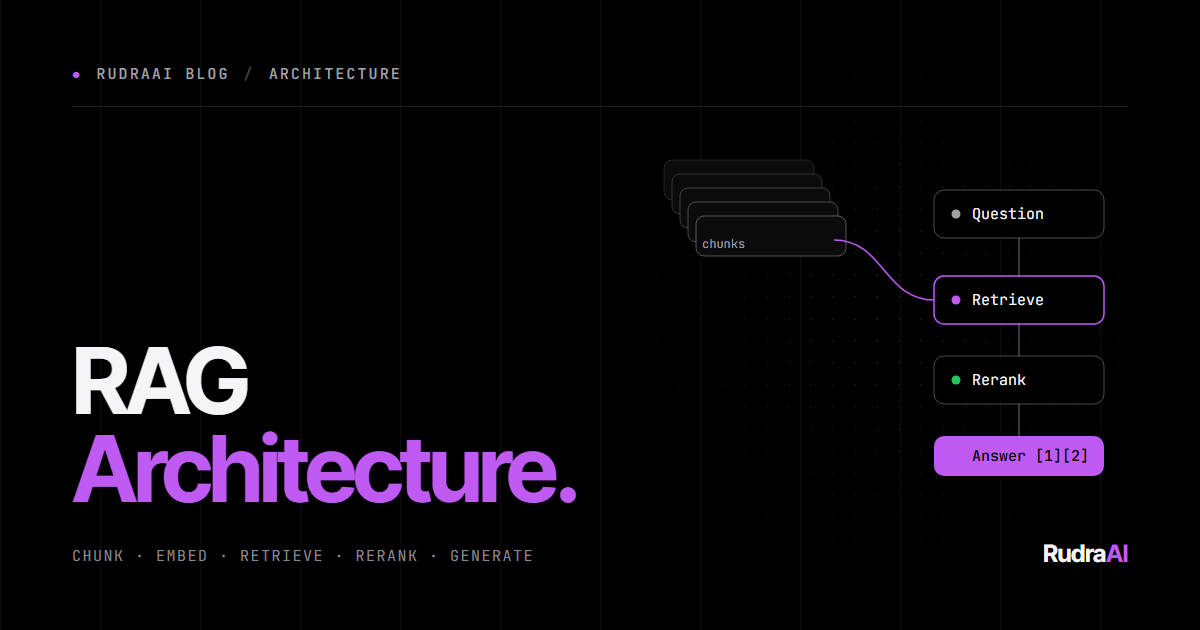
Every RAG system is really two pipelines that share a vector index. One runs ahead of time (or continuously) to prepare your data. The other runs on every question.
INGESTION  (offline / on every data change)

  Sources ──► Load & clean ──► Chunk ──► Embed ──► Store
  (docs, DB,     (text +        (split    (text →   (vector index
   tickets,       metadata)      into      vectors)   + metadata)
   web pages)                    passages)

QUERY  (on every question)

  Question ──► Rewrite ──► Retrieve ──► Rerank ──► Prompt ──► Generate ──► Answer
               (optional)  (vector +    (keep the  (question   (LLM)       + citations
                            keyword)     best 5–8)  + chunks)
Let's go through each stage.
1. Loading and cleaning
Garbage in, garbage retrieved. Before anything is embedded, turn every source into clean text plus metadata:
- Extract text properly. PDFs, slides and scanned documents need real parsing (and OCR for scans). Tables are the usual casualty — convert them to Markdown or one row per line so they survive.
- Strip the noise. Navigation menus, cookie banners, repeated headers and footers all pollute embeddings.
- Keep metadata. Source URL, title, section heading, author, last-updated date, product, language and — critically — who is allowed to see it. You'll filter on these later.
2. Chunking
You can't embed a 60-page manual as one vector — the meaning gets averaged into mush, and you couldn't fit it all in the prompt anyway. So documents are split into chunks. Chunking is the single most underrated decision in RAG.
- Fixed-size with overlap. Split every ~300–800 tokens with 10–20% overlap so sentences on a boundary aren't lost. Simple, and a fine baseline.
- Structure-aware. Split on headings, sections, list items or FAQ entries so each chunk is one coherent idea. Almost always better than fixed-size for documentation.
- Semantic chunking. Start a new chunk where the topic shifts, detected by embedding similarity between sentences. Useful for long, unstructured prose.
- Parent–child (small-to-big). Embed small chunks for precise matching, but send the larger parent section to the model so it has the surrounding context.
- Contextual chunk headers. Prepend the document title and section path to each chunk before embedding (e.g. "Returns policy › International orders › …"). A chunk that just says "this must be done within 14 days" is useless on its own; with a header it becomes findable.
Rule of thumb: a chunk should make sense if a person read it with no other context. If it doesn't, it won't make sense to the retriever either.
3. Embeddings
An embedding model turns text into a vector — a list of a few hundred to a few thousand numbers — such that texts with similar meaning end up close together. "How do I get my money back?" lands near "Refund policy" even though they share no words.
- Use the same model for documents and questions. Vectors from different models aren't comparable.
- Pick for your language and domain. Check retrieval benchmarks (the MTEB leaderboard is the usual reference), then test on your own data — see the evaluation section below.
- Changing models means re-embedding everything. Store the model name alongside each vector so migrations are deliberate.
- Mind the dimensions. Bigger vectors can be slightly more accurate but cost more storage and search time. Many models let you truncate dimensions with little loss.
4. The vector store
The vector store holds your chunks, their vectors and their metadata, and answers "which vectors are closest to this one?" quickly using an approximate nearest-neighbour index (HNSW is the most common).
Options range from dedicated vector databases (Qdrant, Pinecone, Weaviate, Milvus, Chroma) to adding vectors to the database you already run. If you're on PostgreSQL, pgvector keeps everything — data, metadata, permissions and vectors — in one place, which removes a whole class of sync bugs:
create extension if not exists vector;

create table chunks (
  id          bigserial primary key,
  document_id text not null,
  content     text not null,
  metadata    jsonb not null default '{}',
  embedding   vector(1536) not null
);

create index on chunks using hnsw (embedding vector_cosine_ops);

-- top 20 chunks for a question, limited to one product
select id, content, 1 - (embedding <=> $1) as similarity
from chunks
where metadata->>'product' = 'billing'
order by embedding <=> $1
limit 20;
A dedicated vector database earns its place at very large scale, when you need advanced filtering and quantisation, or when search load would compete with your transactional database.
Choosing a vector database
| Option | Good fit when | Things to consider |
|---|---|---|
| pgvector (PostgreSQL) | You already run Postgres; you want data, permissions and vectors in one place | Tune HNSW settings and memory as the index grows |
| Qdrant | You want a fast open-source engine with strong payload filtering, self-hosted or managed | A second datastore to keep in sync |
| Pinecone | You want a fully managed, serverless service with minimal operations | Hosted only; costs scale with usage |
| Weaviate / Milvus | You need very large collections, built-in hybrid search or many tenants | More moving parts to operate if self-hosted |
| Chroma | Prototypes, notebooks and local development | Plan your production store early |
In practice, the quality of your chunks and retrieval strategy matters far more than which of these you pick.
5. Retrieval: dense, sparse and hybrid
Pure vector (dense) search is great at meaning but surprisingly bad at exact terms: product codes, error numbers, names, acronyms. Keyword (sparse) search such as BM25 is the opposite. So production systems usually run both and merge the results — hybrid search.
The standard way to merge is Reciprocal Rank Fusion (RRF): each result scores 1 / (60 + rank) in each list, and the scores are summed. It needs no tuning and works well.
Two other retrieval levers matter as much as the algorithm:
- Metadata filters. Restrict the search to the right product, language, date range — and to documents the current user is permitted to see. Permission filtering must happen in the retrieval query, never by asking the model to ignore things.
- How many to fetch. Retrieve generously at this stage (20–50 candidates) and let the reranker narrow it down.
6. Reranking
Embedding search compares a question vector with chunk vectors that were computed independently, which is fast but approximate. A reranker (a cross-encoder) reads the question and each candidate chunk together and scores how well the chunk actually answers it. It's slower, so you only run it on the shortlist.
Retrieve 30–50, rerank, keep the top 5–8. In our experience this is the single cheapest large improvement you can make to a RAG system that "sort of works".
7. Building the prompt and generating
Finally, the chosen chunks go into the prompt with clear instructions. A solid starting template:
You answer questions using ONLY the sources below.

Rules:
- If the sources don't contain the answer, say you don't know.
- Cite the sources you used like [1], [2].
- Quote numbers, dates and prices exactly as written.

Sources:
[1] Returns policy › International orders
Items shipped outside the UK can be returned within 30 days ...

[2] Help centre › Refund timelines
Refunds are issued to the original payment method within 5–10 business days ...

Question: How long do I have to return an order shipped to Germany?
Put the most relevant chunks first, keep instructions short and explicit, and always give the model permission to say "I don't know". A RAG system that admits ignorance is far more trustworthy than one that improvises.
Advanced patterns worth knowing
- Query rewriting. Users ask vague, conversational questions ("what about the other one?"). Have a fast model rewrite the question into a standalone search query using the chat history before retrieving.
- Multi-query and HyDE. Generate several phrasings of the question — or a hypothetical answer — and search with each, then fuse the results. Helps when users and documents use different vocabulary.
- Agentic RAG. Give the model retrieval as a tool instead of retrieving once up front. It can search, read, decide it needs more, and search again — essential for multi-step questions like "compare our 2025 and 2026 pricing for annual plans".
- GraphRAG. Extract entities and relationships into a knowledge graph, so questions about connections ("which suppliers affect product X?") or whole-corpus themes can be answered, not just look-ups.
- Multi-tenant RAG. When several customers or products share one system, every chunk carries a tenant ID and every query is filtered by it — or each tenant gets its own collection. Isolation is enforced by the retriever, never by the prompt.
Keeping the index fresh
A RAG system is only as current as its index. Treat ingestion as a sync service, not a one-off script:
- Detect changes with webhooks, database change-data-capture, or polling an
updated_atcolumn. - Hash each chunk's content and only re-embed chunks whose hash changed — re-embedding everything on every change gets expensive fast.
- Handle deletes. When a document is removed or unpublished, its chunks must go too, or the assistant will keep quoting it.
- Upsert by stable IDs (document ID + chunk position) so updates replace rather than duplicate.
RAG over structured data: when to use SQL instead
RAG is built for unstructured text. If the question is "how many orders shipped late last month?", embedding database rows and searching them is the wrong tool — the answer needs counting and filtering, not similarity. For structured data, let the model write a query instead (text-to-SQL) against a read-only database user and a documented schema, or expose specific, safe query tools. Many real assistants combine both: RAG for policies and documentation, SQL tools for numbers and records.
A latency and cost budget
Every stage adds time and money. Typical ranges (they vary by provider and scale):
| Stage | Typical latency | How to keep it down |
|---|---|---|
| Query rewriting | 200–500 ms | Use a small, fast model; skip it for first messages |
| Embedding the question | 50–150 ms | Cache embeddings for repeated questions |
| Vector + keyword search | 10–100 ms | Proper indexes, metadata filters, sensible top-k |
| Reranking | 100–400 ms | Rerank 30–50 candidates, not hundreds |
| Generation | 1–5 s | Stream the answer; send fewer, better chunks |
Streaming the response hides most of this: users see the first words almost immediately. On cost, the biggest lever is sending fewer tokens of context — which is exactly what good retrieval and reranking give you.
Security and privacy in RAG
- Permission-aware retrieval. Store access rules as metadata and filter on them in every query, so a user can only ever retrieve what they could open themselves.
- Prompt injection in documents. Retrieved text can contain instructions ("ignore previous rules…"). Treat it as data, keep system instructions separate, and never let retrieved text alone trigger actions.
- Sensitive data. Decide what should never be indexed — passwords, personal data you don't need, secrets in old documents — and filter it at ingestion.
- Data residency. Check where your embedding model, vector store and LLM process data if you have regulatory obligations.
How to evaluate a RAG system
"It looks good when I try it" is not an evaluation. Build a golden set of 50–200 real questions, each with the correct answer and the document(s) that contain it. Then measure the two halves separately:
| Stage | Metric | Question it answers |
|---|---|---|
| Retrieval | Recall@k / hit rate | Was the right chunk in the top k at all? |
| Retrieval | MRR | How high up was it ranked? |
| Retrieval | Context precision | How much of what we sent was actually relevant? |
| Generation | Faithfulness | Is every claim in the answer supported by the retrieved text? |
| Generation | Answer relevance | Does the answer address the question that was asked? |
| End to end | Correctness | Does it match the reference answer? |
Libraries such as Ragas and DeepEval compute the generation metrics using an LLM as the judge. Run the golden set on every change to chunking, embeddings, prompts or models, and you'll know immediately whether a change helped. We cover evals in depth in our guide to LLM benchmarks and evals.
Common failure modes, and what usually fixes them
| Symptom | Likely cause | Fix |
|---|---|---|
| Can't find answers that are definitely in the docs | Poor chunking or parsing; exact terms missed | Structure-aware chunks, contextual headers, hybrid search |
| Finds the right document, wrong part of it | Chunks too large or no reranker | Smaller chunks + parent–child, add a reranker |
| Answers with outdated information | Stale index, deletes not synced | Change detection, content hashing, delete handling |
| Confident answers not in the sources | Prompt allows guessing | Explicit "only from sources" rule, require citations, check faithfulness |
| Fails on follow-up questions | Retrieval uses the raw follow-up text | Rewrite the query using chat history |
| Shows one customer another's data | Permissions applied after retrieval (or not at all) | Filter by tenant/permissions inside the retrieval query |
A production checklist
- Clean parsing, with tables and headings preserved
- Structure-aware chunks with contextual headers
- Hybrid search plus a reranker
- Permission and tenant filters inside the retrieval query
- An incremental sync pipeline that handles updates and deletes
- Citations in every answer, and permission to say "I don't know"
- A golden set run on every change, and logging of real questions to grow it
- Latency and cost tracked per stage, not just end to end
RAG glossary
- Chunk — a passage of a document, embedded and retrieved as one unit.
- Embedding — a vector of numbers representing the meaning of a piece of text.
- Vector database — a store that finds the vectors most similar to a query vector.
- HNSW — the most common approximate nearest-neighbour index for fast vector search.
- BM25 — a classic keyword-ranking algorithm used for sparse search.
- Hybrid search — combining vector and keyword search, typically with Reciprocal Rank Fusion.
- Reranker — a cross-encoder model that rescores candidate chunks against the question.
- Faithfulness — whether every claim in an answer is supported by the retrieved context.
RAG is less about any one clever technique and more about getting a dozen ordinary decisions right. Get retrieval right and almost any modern model will give good answers; get it wrong and no model can save you.
Keep reading: learn how to choose and test the model behind your RAG system in LLM Models, Benchmarks and Evals, and how to expose your knowledge base to any AI app in MCP vs API: build and deploy an MCP server.
Frequently asked questions
What is RAG in simple terms?
RAG (Retrieval-Augmented Generation) is a way of giving an AI model access to your own information. When a question comes in, the system searches your documents for the most relevant passages, adds them to the prompt, and the model writes an answer based on that text, usually with citations.
Is RAG better than fine-tuning?
They solve different problems. RAG is best for knowledge — facts and documents that change and need citations. Fine-tuning is best for behaviour — tone, format or a narrow skill. Many production systems use RAG for knowledge and, optionally, light fine-tuning for style.
Which vector database should I use for RAG?
If you already run PostgreSQL, start with pgvector: it keeps data, permissions and vectors together. Choose a dedicated vector database such as Qdrant, Pinecone, Weaviate or Milvus when you need very large scale, advanced filtering or isolation from your main database.
What chunk size is best for RAG?
There is no universal number, but 300–800 tokens with 10–20% overlap is a solid baseline. Structure-aware chunks that follow headings and sections usually beat fixed sizes. Test a few settings against your golden question set and keep the one with the best recall.
How do I stop a RAG chatbot from hallucinating?
Retrieve better context (hybrid search plus a reranker), instruct the model to answer only from the provided sources, require citations, allow it to say it doesn't know, and measure faithfulness on a golden set so regressions are caught before release.
How do I keep a RAG index up to date?
Run ingestion as a sync service: detect changes with webhooks, change-data-capture or an updated_at column, re-embed only chunks whose content hash changed, upsert by stable IDs and delete chunks when their source document is removed.